

Most tools give one person every button and everybody else none, so the only way to let somebody help is to hand them the whole workspace. Cove uses departments instead: a named set of permissions, with people in it.
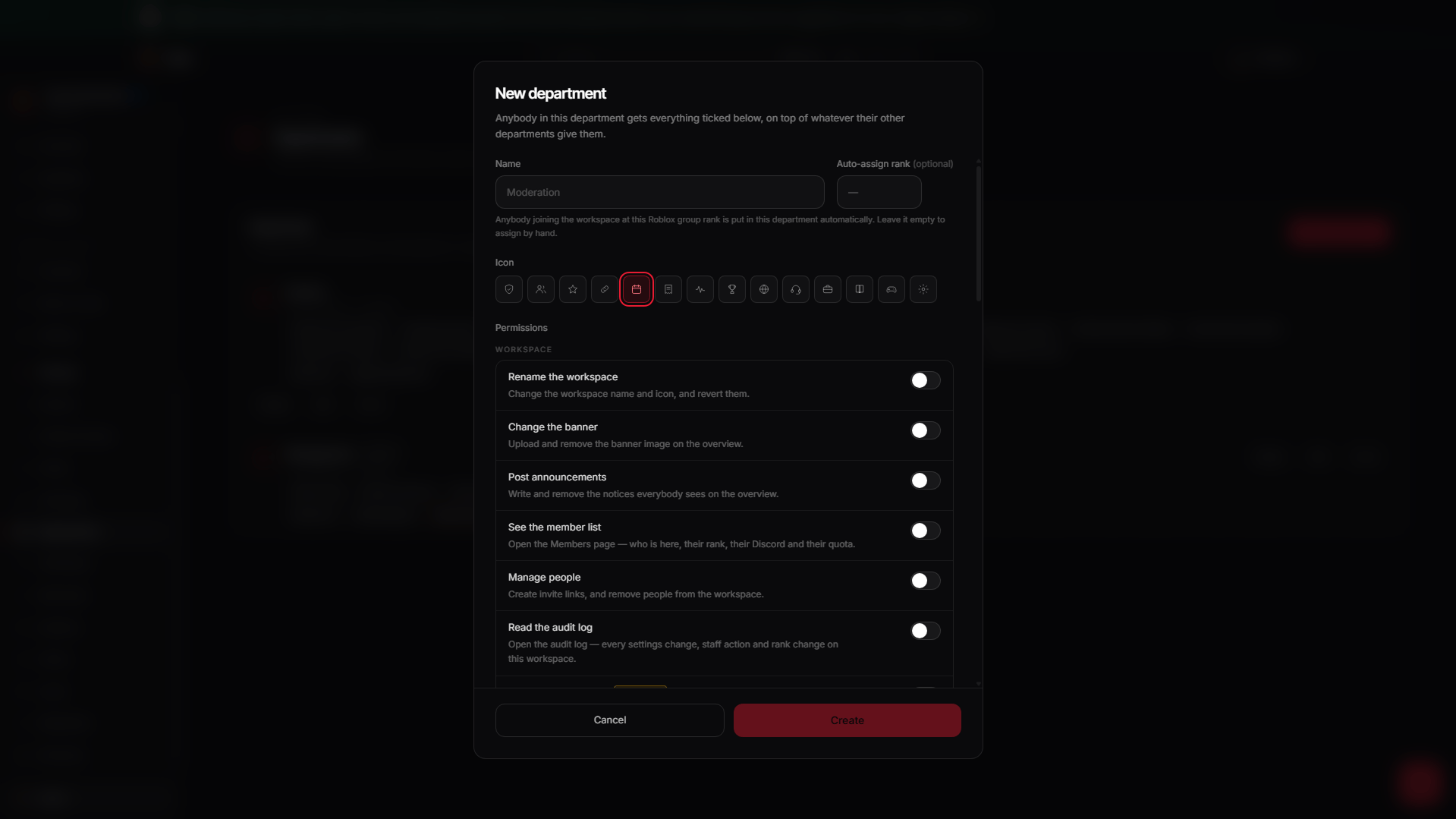
Departments, with what each can do and who is in it.
Making one
Settings → Departments.1
Name it and pick an icon
Moderation, Session Hosts, HR — whatever your group already calls it.
Fourteen icons to choose from.
2
Tick what it can do
Sixteen permissions across the workspace. Somebody who runs trainings gets
Create sessions and nothing else.
3
Put people in it
By hand, or by Roblox rank — see below.
Assigning by rank
A department can carry a Roblox group rank. Anybody who joins the workspace at that rank is put into the department automatically, the moment they arrive. People added by a rank rule are marked differently from people you added yourself — an assignment somebody made is a decision, and one a rule made is a consequence.The full list
Two are marked Powerful in the interface, because they can be used to
obtain the rest: Manage departments and Change moderation settings. They aren’t
treated differently — you are just told, so granting one is a decision rather
than a discovery.
Owners and co-owners
The workspace owner and any co-owners sit outside the department system and always hold every permission. That is what makes it safe to delegate Manage departments at all: no arrangement of departments can leave a workspace with nobody able to fix it.
Billing is the one thing no permission grants — see
Plans and billing for why.